

Top 11 Best Crypto Wallets in 2026 – Secure, DeFi-Ready, and Beginner-Friendly
We may earn commissions from affiliate links or include sponsored content, clearly labeled as such. These partnerships do not influence our editorial independence or the accuracy of our reporting. By continuing to use the site you agree to our terms and conditions and privacy policy.


Crypto ownership is growing fast – but so are the risks. Whether you’re a long-term HODLer, a DeFi degenerate, or just storing Bitcoin safely, choosing the right crypto wallet could make or break your portfolio.
The best crypto wallets in 2026 offer not just security, but flexibility, low fees, and multi-chain support. From sleek mobile apps to rugged cold wallets, this guide ranks the top 11 wallets that balance usability and security.
But which one fits your bill? Let’s find out together.
Top Crypto Wallets in 2026 Ranked
Here are the 11 best crypto wallets to use in October 2026:
- Best Wallet – Best mobile self-custody wallet for swaps, staking & low fees
- Walletium – A new multi-chain wallet on Telegram with hybrid key management
- Ledger Stax – Premium hardware wallet with curved E-Ink screen and wireless charging
- ELLIPAL Titan 2.0 – Air-gapped hardware wallet with QR-only transactions
- Trezor Safe 5 – Flagship Trezor model with open-source firmware and haptic feedback
- Cypherock X1 – Seedless cold wallet with inheritance features
- SafePal – Budget cold wallet with great DeFi integrations
- Keystone – Open-source multisig wallet with secure QR signing
- ByBit Wallet – Best for traders wanting wallet + exchange in one
- Zengo – Most beginner-friendly wallet with keyless recovery
- Gate.io Wallet – Top wallet for trading & DeFi across 1,000+ coins
How We Ranked The Best Crypto Wallets
Picking a crypto wallet isn’t just about brand recognition. We used a mix of security, usability, coin support, and cost to rank the best wallets of 2026.
Here’s what we looked at:
- Security Features: Cold storage? 2FA? Air-gapped? Private keys offline?
- Supported Cryptos: Multi-chain support including BTC, ETH, BNB, SOL, etc.
- User-Friendly Features: Ease of setup, UI/UX, and mobile convenience
- Integrated Tools: Swaps, staking, NFTs, DApp browser, fiat on-ramps
- Transaction Fees: Transaction and swap fees, if applicable
- Recovery Options: Backup phrase, biometrics, or seedless recovery
- Audit Status: Open-source or third-party security audit (e.g. Keylabs)
Overview of The Best Bitcoin Wallets
Each wallet solution serves different needs. It depends on your trading style, portfolio size, and security priorities.
1. Best Wallet – Mobile-First DeFi Champion
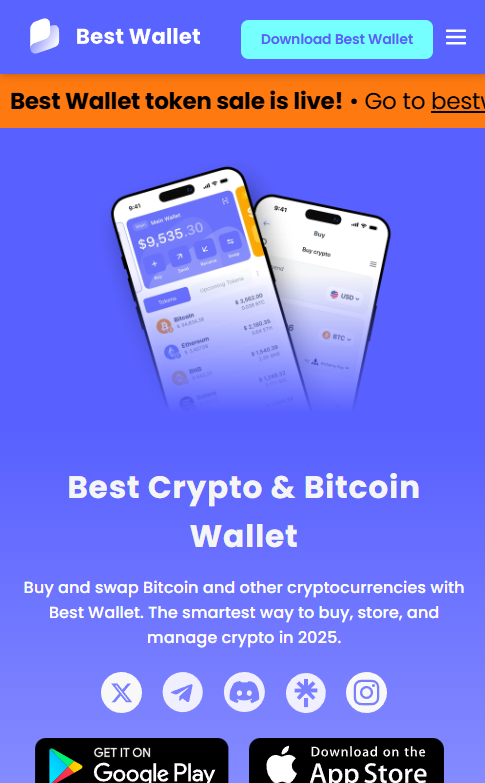
Best Wallet dominates the mobile space. It has an intuitive interface and powerful DeFi integration.
The app supports Bitcoin, Ethereum, Polygon, and BNB Chain. Plans include Solana support – good for Solana meme coins if hunting moonshots.
Security features include biometric authentication and multi-factor verification. It also has encrypted backup passphrases.
The built-in DEX aggregator lets you swap tokens without leaving the app. This means fewer chances for a rug pull when moving platforms.
Web3 integration connects seamlessly with major DeFi protocols. It works with NFT marketplaces and decentralized exchanges.
Custom token support means you can add any ERC-20, BEP-20, or Polygon token. Just paste the contract address – perfect for sniping early presale gems.
The fiat onramp enables direct crypto purchases with debit cards. Zero-fee swaps and no storage charges make it cost-effective for active traders.
Just remember, even the slickest mobile wallet won’t save you from your own FOMO. Always DYOR before aping into anything.
| Wallet Type | Software (Hot) |
| Supported Cryptos | Ethereum, BNB Chain, Polygon tokens |
| Mobile App | Yes |
| Special Features | DEX aggregator, fiat onramp, Web3 integration |
2. Walletium – A Multi-Chain Wallet on Telegram

Walletium is a new multi-chain wallet that operates directly within Telegram. It will handle storage, swaps, and even transfers without needing a separate app download.
For perspective, the wallet supports some of the top blockchains, including but not limited to Bitcoin, Ethereum, and BNB Chain.
The wallet lets you manage your entire crypto portfolio and execute strategies from a single chat window on Telegram. Alternatively, you can also install the web app on Windows or MacOS.
One of the wallet’s flagship features is its hybrid approach toward private key management. It allows users to choose either a custodial or non-custodial option.
Meanwhile, Walletium offers privacy features such as stealth mode and selective address visibility.
Users can also earn passive income from the wallet’s “Mild Staking” feature, which gives out rewards in TEX, Walletium’s utility token. The project even claims to offer a projected daily reward rate ranging from 0.3% to 9.6%. In fact, no strict lockups are required to participate.
Of course, these are just projected returns. This is why it is important to always do your own research before committing any funds for staking.
| Wallet Type | Hot Wallet |
| Supported Cryptos | BTC, ETH, BNB, TON, TRX, and USDT |
| Mobile App | Yes (Telegram native) |
| Special Features | Mild Staking, Virtual Cards, Hybrid Key Management |
3. Ledger Stax – Premium Hardware Excellence
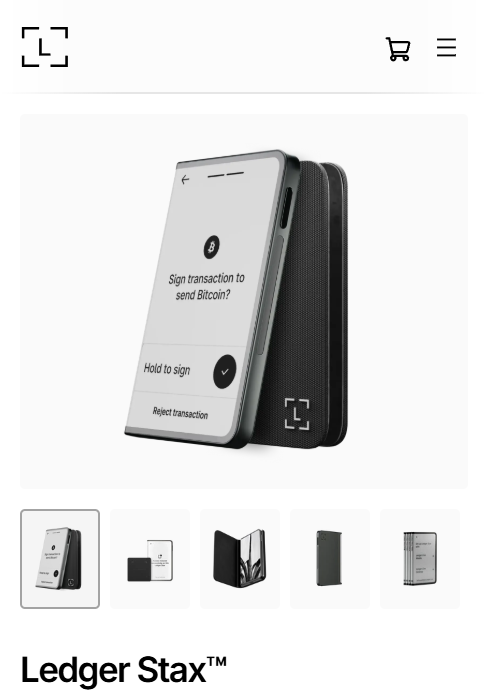
Ledger Stax is Ledger’s most advanced wallet yet. It has a futuristic curved E-Ink touchscreen and wireless charging. Think of it as the Tesla of crypto wallets.
You get full support for 5,500+ assets (including NFTs). It has a slick customizable home screen and security from Ledger’s EAL6+ chip.
The device displays your favorite NFT on the lock screen. This is either cool or cringe depending on your tolerance for flexing.
Bluetooth and USB-C let you sync with Ledger Live on mobile or desktop. The credit-card-sized, stackable design keeps it travel-friendly.
Wireless charging is surprisingly handy when managing multiple wallets. You’ll pay a premium (around $399), but it’s a cold wallet that feels fun to use.
Stack ’em, show off your CryptoPunks, and keep your keys air-gapped. Remember – no hardware wallet can protect you from signing malicious transactions.
| Wallet Type | Hardware (Cold) |
| Supported Cryptos | 5,500+ cryptocurrencies, NFTs |
| Mobile App | Yes |
| Special Features | Touchscreen, Bluetooth, wireless charging, stackable design, customizable NFT lock screen, Ledger Recover |
4. ELLIPAL Titan 2.0 – Air-Gapped Security Fortress
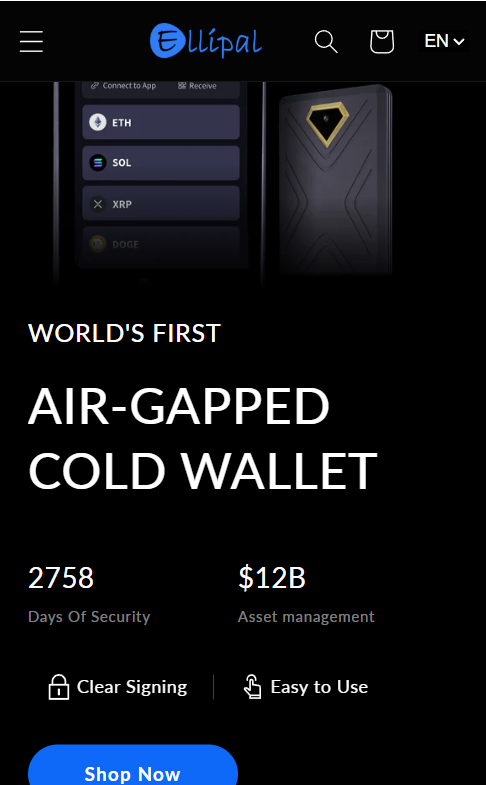
ELLIPAL Titan 2.0 takes security to the extreme. It has complete air-gap isolation – no WiFi, Bluetooth, or USB connections ever.
All transactions use QR code signing between the device and mobile app. This makes it virtually impossible for hackers to reach your funds remotely.
The anti-tamper design permanently destroys the device if physical security is compromised. It’s basically a self-destruct mechanism for your crypto.
It supports 40+ blockchains and 10,000+ tokens. This includes Bitcoin, Ethereum, and Solana so you won’t run into compatibility issues.
The large touchscreen provides intuitive navigation and transaction confirmation. The built-in camera enables QR code scanning for secure transaction signing.
It’s like having a mini smartphone dedicated purely to crypto security. Mobile app integration handles portfolio management and token swaps.
It also manages DeFi connections without compromising the cold storage security. At $169, it offers institutional-grade security for long-term holders.
Just don’t expect lightning-fast transactions. Security comes with a slight convenience trade-off.
| Wallet Type | Hardware (Cold) |
| Supported Cryptos | 10,000+ tokens across 40+ chains |
| Mobile App | Yes |
| Special Features | Air-gapped, QR signing, anti-tamper design |
5. Keystone – Open-Source Multisig Champion
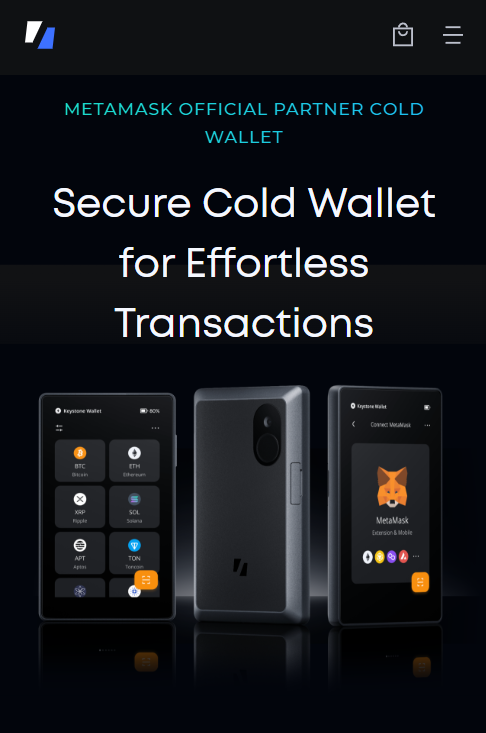
Keystone prioritizes transparency. It has fully open-source firmware that’s community-audited and GitHub-verified.
You can access 5,500+ tokens across Bitcoin, Ethereum, Solana, and other major networks. It’s built for users who want to verify every line of code.
Multisig compatibility makes it ideal for teams and high-value holders. It requires multiple signatures for transactions.
QR code signing maintains air-gap security without any wireless connections. It’s pure paranoia in the best possible way.
The large touchscreen and microSD support enable firmware updates. It also allows for encrypted backups.
Integration with MetaMask, Rabby, and other popular wallet interfaces keeps it compatible. Pricing ranges from $120-$170 depending on the model.
It’s best suited for advanced users who value code transparency. If you’re the type who reads smart contracts before signing, Keystone speaks your language.
| Wallet Type | Hardware (Cold) |
| Supported Cryptos | 5,500+ tokens |
| Mobile App | No |
| Special Features | Open-source, multisig, microSD backups |
6. SafePal – Budget Hardware Champion
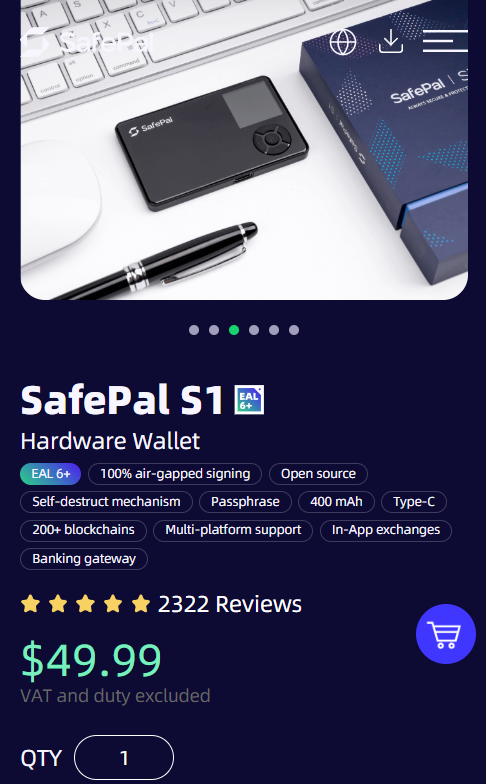
SafePal delivers hardware-grade security at entry-level pricing. It costs around $50-$70, making it a gateway from hot wallets.
It supports over 10,000 tokens across 100+ networks. This includes Bitcoin, Ethereum, Solana, and Arbitrum.
QR code signing maintains air-gap security without Bluetooth or USB connectivity. The EAL5+ secure element chip protects against tampering and malware.
The self-destruct mechanism wipes data if a physical breach is detected. It’s a budget price with premium paranoia.
The mobile app enables DeFi access, staking, and decentralized exchange connections. It has roughly 1% swap fees through integrated DEX services.
Manual firmware updates via microSD can be inconvenient. But the price-to-feature ratio is unbeatable.
It’s great for beginners testing cold storage without breaking the bank. It’s also good for experienced users needing a backup device.
Just remember – even the best hardware wallet won’t save you from social engineering.
| Wallet Type | Hardware (Cold) |
| Supported Cryptos | 10,000+ tokens across 100+ chains |
| Mobile App | Yes |
| Special Features | Self-destruct, QR signing, budget-friendly |
7. Cypherock – Seedless Innovation
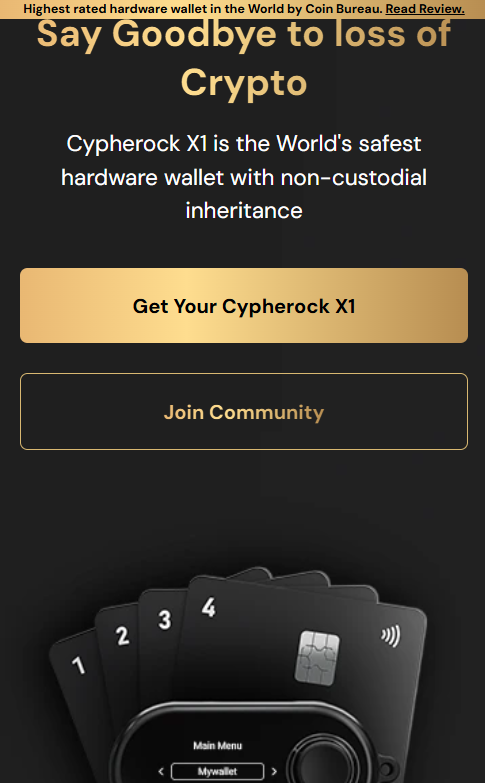
Cypherock eliminates single points of failure. It uses Shamir Secret Sharing technology that splits private keys across four X1 cards and a vault.
No seed phrases are required. It’s a revolutionary approach to crypto security that feels like something from a spy movie.
It supports 3,000+ cryptocurrencies including Bitcoin and Ethereum. It has built-in multi-factor authentication and open-source, audited firmware.
The system is designed so losing one card doesn’t compromise security. You only need one card plus the vault.
The non-custodial inheritance features let you assign nominees. You can set inactivity triggers, perfect for long-term wealth planning.
PIN recovery service and real-time asset tracking round out the feature set. It’s perfect for investors planning long-term wealth transfer.
It’s also for anyone paranoid about losing a traditional seed phrase. The learning curve is steeper than traditional wallets.
But the security benefits are substantial. Think of it as crypto insurance for your crypto insurance.
| Wallet Type | Hardware (Cold) |
| Supported Cryptos | 3,000+ cryptocurrencies |
| Mobile App | No |
| Special Features | Seedless, inheritance, Shamir Secret Sharing |
8. Binance Wallet – Exchange Integration King
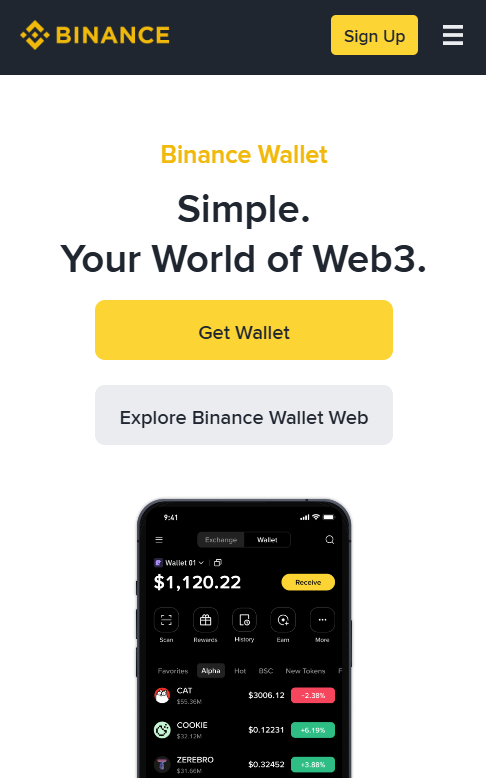
Binance Wallet seamlessly connects with the entire Binance ecosystem. It’s for unified trading and DeFi access.
Available as web extension, mobile app, and desktop versions. It’s the Swiss Army knife of crypto wallets if you’re deep in the Binance universe.
Multi-signature technology and 2FA provide enterprise-grade security. It supports all major cryptocurrencies across Ethereum, BNB Chain, Bitcoin, and emerging networks.
The real magic happens with DeFi integration. dApp connections, NFT management, and yield farming all flow through one interface.
In-app trading leverages Binance’s massive liquidity pools. This means tighter spreads when you’re swapping or trading.
Cross-device syncing ensures seamless access anywhere. KYC requirements and centralized integration may not appeal to pure decentralization advocates.
It’s the go-to option for traders who live on Binance. But remember – you’re still playing in a walled garden.
The convenience is undeniable. But so is the platform risk if Binance faces regulatory issues.
| Wallet Type | Software (Hot) |
| Supported Cryptos | All major cryptocurrencies |
| Mobile App | Yes |
| Special Features | Exchange integration, multi-signature, cross-device sync |
9. ByBit Wallet – Derivatives Trader’s Edge
ByBit Wallet caters specifically to active traders and derivatives specialists. It has direct platform integration.
Supported cryptocurrencies include Bitcoin, Ethereum, USDT, and other major trading pairs. These matter for leveraged positions.
Advanced security combines multi-signature wallets, 2FA, and cold storage. This provides institutional-grade protection.
Built-in swapping leverages ByBit’s liquidity for competitive rates. The interface balances professional trading tools with user-friendly design.
Staking and yield farming features enable passive income generation between trades. Seamless derivatives trading access makes position management effortless.
KYC requirements apply for full functionality access. It’s the price of playing in regulated sandboxes.
It’s perfect for traders who live and breathe perpetual futures. The wallet is overkill if you’re just buying and holding.
The integration with ByBit’s ecosystem is smooth. But remember – centralized platforms can freeze accounts during extreme market conditions.
| Wallet Type | Software (Hot) |
| Supported Cryptos | Bitcoin, Ethereum, USDT, major altcoins |
| Mobile App | Yes |
| Special Features | Derivatives integration, advanced trading, yield farming |
10. ZenGo – Keyless MPC Innovation
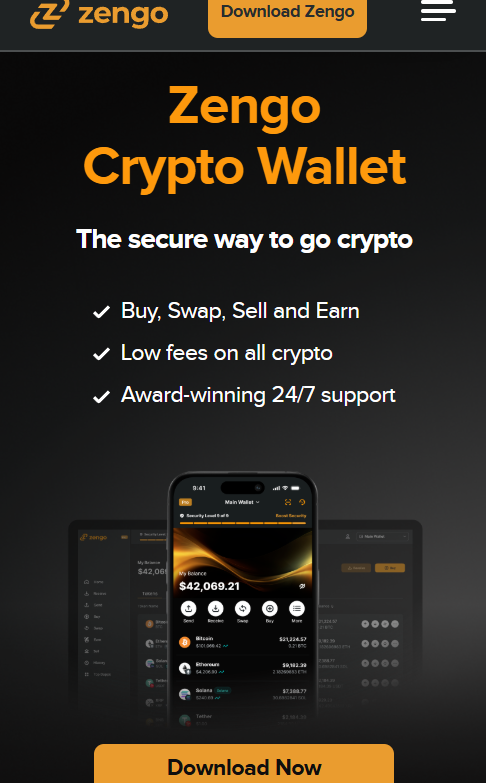
ZenGo revolutionizes wallet security with multiparty computation (MPC) technology. It eliminates traditional private keys.
Credentials are split across multiple secure servers. It uses mathematical wizardry for security.
Facial biometric authentication provides convenient yet secure access. It supports Bitcoin, Ethereum, BNB Chain, and Dogecoin with built-in swapping.
The 0.5% swap fees are competitive. The company claims zero security breaches to date.
Recovery uses multi-factor authentication across email, biometrics, and cloud storage. No seed phrases to lose or forget.
The user-friendly interface makes it perfect for crypto newcomers. Traditional wallets can be intimidating.
Available free on Android and iOS. It’s ideal for users who want security without complexity.
The trade-off is trusting ZenGo’s servers and technology. It’s innovative but not as battle-tested as traditional approaches.
Perfect for beginners, but purists might prefer full self-custody.
| Wallet Type | Software (Hot) |
| Supported Cryptos | Bitcoin, Ethereum, BNB Chain, Dogecoin |
| Mobile App | Yes |
| Special Features | Keyless MPC, biometric auth, no seed phrases |
11. Gate.io Wallet – DeFi Diversity Champion
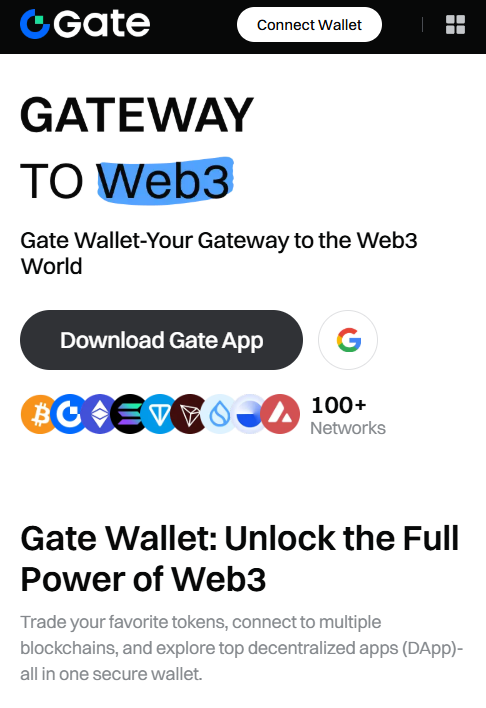
Gate.io Wallet supports an impressive 1,400+ cryptocurrencies. It’s one of the most diverse options for obscure altcoins.
The DeFi protocol integration enables yield farming and staking across multiple chains. Advanced security includes multi-factor authentication and private key encryption.
It also has cold storage integration. The Proof of Reserves system enhances transparency.
Skeptics note this doesn’t guarantee much in worst-case scenarios. Cross-platform availability spans mobile, desktop, and browser extension.
In-app trading with low fees plus staking rewards create passive income opportunities. The user-friendly design accommodates both beginners and advanced traders.
It’s perfect for diversified portfolios spanning major and minor cryptocurrencies. The DeFi complexity might overwhelm newcomers initially.
The massive coin support means you’ll rarely encounter compatibility issues. But with great power comes great responsibility.
More options mean more ways to lose money.
| Wallet Type | Software (Hot) |
| Supported Cryptos | 1,400+ cryptocurrencies |
| Mobile App | Yes |
| Special Features | Massive asset support, DeFi integration, Proof of Reserves |
Hot Wallet vs Cold Wallet: Key Differences
Choosing between a hot wallet and a cold wallet comes down to connectivity. Hot wallets are always connected to the internet.
This makes them convenient for daily transactions and trading. But it exposes them to higher risks like malware or phishing.
Cold wallets store your private keys completely offline. They’re often hardware devices that only sign when physically connected.
Cold storage offers stronger protection against online threats. But it’s less user-friendly for everyday use.
If you’re actively trading or yield farming, a hot wallet makes sense. If you’re sitting on a sizable bag, keep most in cold storage.
For optimal security and usability, many investors use both. Use a hot wallet for spending and a cold wallet for storing.
| Feature | Hot Wallet | Cold Wallet |
| Internet Connection | Always online | Offline until needed |
| Security Risk | Higher (vulnerable to hacks) | Very low (air-gapped/encrypted) |
| Ideal For | Daily use, trading, DeFi | Long-term storage, large amounts |
| Examples | Best Wallet, Zengo, Trust Wallet | Ledger, Trezor, Cypherock |
| Accessibility | Immediate | Requires physical access |
| Recovery | Seed phrase, biometrics | Seed phrase, QR signing, secure chips |
Cryptocurrency Wallets For Beginners: What’s The Difference?
Choosing between different cryptocurrency wallets can feel overwhelming. But understanding the basics can make a huge difference.
It keeps your funds safe, even before you invest your first $1 in a crypto presale. A crypto wallet lets you store, send, and receive digital assets.
There are two main types: hot wallets and cold wallets. Hot wallets run on mobile devices or desktops.
They are ideal for fast, everyday crypto transactions. Cold wallets are physical devices.
They’re more secure, but not as convenient for regular swaps. They’re also less convenient for interacting with dApps.
Here’s what beginners should look for:
- A user-friendly interface (clean dashboard, simple navigation)
- Two-factor authentication for added security
- Backup options like seed phrases or biometric recovery
- Built-in features like in-app swaps or fiat purchases
If you’re planning to use DeFi apps, consider a self-custody wallet like Best Wallet. It lets you retain full control of your private keys.
What Are Hardware Wallets?
Hardware wallets are physical devices. They store your private keys completely offline. Because they’re not connected to the internet, they protect from online threats.
These wallets are ideal for long-term holders storing large amounts. Popular options are Ledger Nano, Trezor Safe 5, and Cypherock X1.
To send crypto, you connect the device and approve the transaction manually. You sign it on-screen.
The setup ensures your private keys remain offline at all times.
What Are Software Wallets?
Software wallets are also called hot wallets. They are applications that run on your mobile devices or desktop. These wallets are always online. This makes them great for quick crypto transactions and swaps.
They are also good for interacting with decentralized apps. Examples include Best Wallet, Zengo, and Trust Wallet.
They’re easy to use and support most crypto assets. They work across multiple blockchains.
They come with advanced features. These may help you find the next crypto to explode.
Since they’re connected to the internet, they’re more exposed to online threats. Features like two-factor authentication are essential.
Self-Custody vs Custodial Wallets
The choice between self-custody and custodial wallets is huge. A custodial wallet holds your private keys for you.
It’s convenient – you can trade or receive Bitcoin easily. But you’re trusting a third party to protect your assets.
A self-custody, anonymous crypto wallet gives you full control. You hold the keys and sign the transactions.
Only you can access the coins. It’s ideal if you want to invest directly into crypto.
If you’re serious about investing, self-custody puts the responsibility in your hands.
| Feature | Self-Custody Wallets | Custodial Wallets |
| Who Holds the Keys? | You | The third-party service/exchange |
| Control Over Assets | Full | Limited (you can lose access) |
| Risk of Losing Funds | Higher if keys are lost | Higher if provider is compromised |
| Ability to Invest Directly | Yes | Often restricted |
| Access to DApps/DeFi | Yes | Usually restricted |
| Basic Features | Send, receive, swap, stake | Trade, deposit, withdraw |
Are Crypto Exchanges Linked to Crypto Wallets?
Yes – but it depends on the setup. Most centralized crypto exchanges come with built-in custodial wallets. These wallets hold your assets for you. But the platform controls the private keys – meaning you don’t truly own the funds.
If the exchange is hacked or freezes withdrawals, your coins could be at risk. That’s why many users transfer assets to a self-custody wallet after buying.
For example, you might buy ETH on an exchange and send it to a mobile wallet. Some wallets integrate directly with exchanges.
This allows users to trade while maintaining greater control. Just remember: Not your keys, not your coins.
How to Create a Crypto Wallet
Getting started with Best Wallet takes just a few minutes. Following proper security measures is crucial for protecting your funds.
Step 1: Download Best Wallet App
Visit the official Best Wallet website. Download the mobile app for your device.
They’re available for both Android and iOS through official app stores only. Verify the developer name matches exactly to avoid fake apps.
Check download numbers and reviews for additional validation.
Step 2: Create New Wallet
Open the app and select “Create New Wallet.” Choose a strong PIN that you’ll remember but others can’t guess easily.
Enable biometric authentication for convenient yet secure access. Set up two-factor authentication using your mobile number.
Step 3: Secure Your Seed Phrase
Write down the 12-word backup phrase on paper using a pen. Store this in a secure location like a safe or safety deposit box.
Never take photos or store digitally. Confirm the phrase by entering it back into the app to verify accuracy.
Step 4: Fund Your Wallet
Transfer cryptocurrency to your new wallet address. Or use the built-in fiat onramp to buy directly with a debit card.
Start with small amounts to test the process. Double-check addresses before sending any funds.
Step 5: Explore Features
Connect to DeFi protocols or swap tokens using the integrated DEX. Explore NFT marketplaces.
Always start small when trading cryptocurrencies.
Final words
Crypto wallets are your gateway to trading with digital assets. They enable decentralized applications and financial sovereignty.
Don’t let past performance or brand names be your only guide. Focus on security features, user control, and supported networks.
Remember: always back up your recovery phrase. Stay alert to scams and only invest what you’re willing to lose.
In crypto, control is power – but responsibility is yours.
Top Crypto Wallets FAQs
How do crypto wallets work?
What are the best crypto wallets?
How many crypto wallets should I have?
Are crypto wallets safe?
Sources: